Sit-stand desks have gone from a niche product to a common sight in Australian offices and home offices. The idea is simple: instead of sitting for hours, you can raise the desk and stand for part of the day. Workplace safety regulators support varying your posture, but they're also clear that standing all day isn't the answer. This guide explains what to look for in a sit-stand desk and how to use one well.
This guide is general information written in our own words, based on the official sources listed at the end. It isn't health, legal or tax advice. Everyone's body, work and space are different, so if you have pain or a health condition, talk to a health professional, and check tax questions with the ATO or a registered tax agent. We don't sell furniture or recommend particular brands or shops.
Why change posture?
Safe Work Australia says sitting for long periods is common in Australian workplaces, and that too much sitting or standing is bad for your health. Prolonged standing can increase the risk of fatigue and illness. Its advice is that workers shouldn't stay in a seated, standing or static posture for long periods, and that workstations should be designed so people can vary their postures and movements.
Australia's physical activity and sedentary behaviour guidelines, published by the Department of Health, recommend limiting the time adults spend being sedentary and breaking up long periods of sitting as often as possible. A sit-stand desk is one practical tool for doing this, alongside walking, standing for phone calls and taking breaks.
Height range
The height range is the most important specification. WorkSafe Victoria explains that AS/NZS 4442:2018, the Australian and New Zealand standard for office desks, recommends a height adjustment range of 620 to 1200 mm for the primary worktop of a sit-to-stand workstation. WorkSafe Queensland similarly says the desktop should be able to rise to at least 1200 mm to suit taller workers.
Check both ends of the range. Shorter people need a desk that goes low enough for seated work without having to perch on a high chair. Taller people need a desk that rises high enough for standing at elbow height. Our desk height checker helps you work out the heights you need.
Electric or manual?
WorkSafe Victoria notes that the adjustment mechanism shouldn't create a manual handling risk, and that electric adjustment is the most appropriate. Electric desks are quick to adjust, which makes it more likely you'll actually change position. Look at:
- single or dual motors: dual motors are often smoother and can lift more weight;
- memory presets for your sitting and standing heights;
- weight capacity, including monitors, arms and equipment;
- anti-collision features, which stop the desk if it hits something;
- noise and speed of adjustment.
Manual crank desks are cheaper but slower; many people stop adjusting them after a while.
Size and stability
A sit-stand desk needs to be wide and deep enough for your equipment. WorkSafe Queensland says the design should fit all required equipment, such as two monitors, a keyboard and a place to write. Stability matters most at full height, where some desks wobble. Wider, heavier frames and cross-bracing usually help. Check reviews and, if possible, try the desk at standing height before buying.
Cables
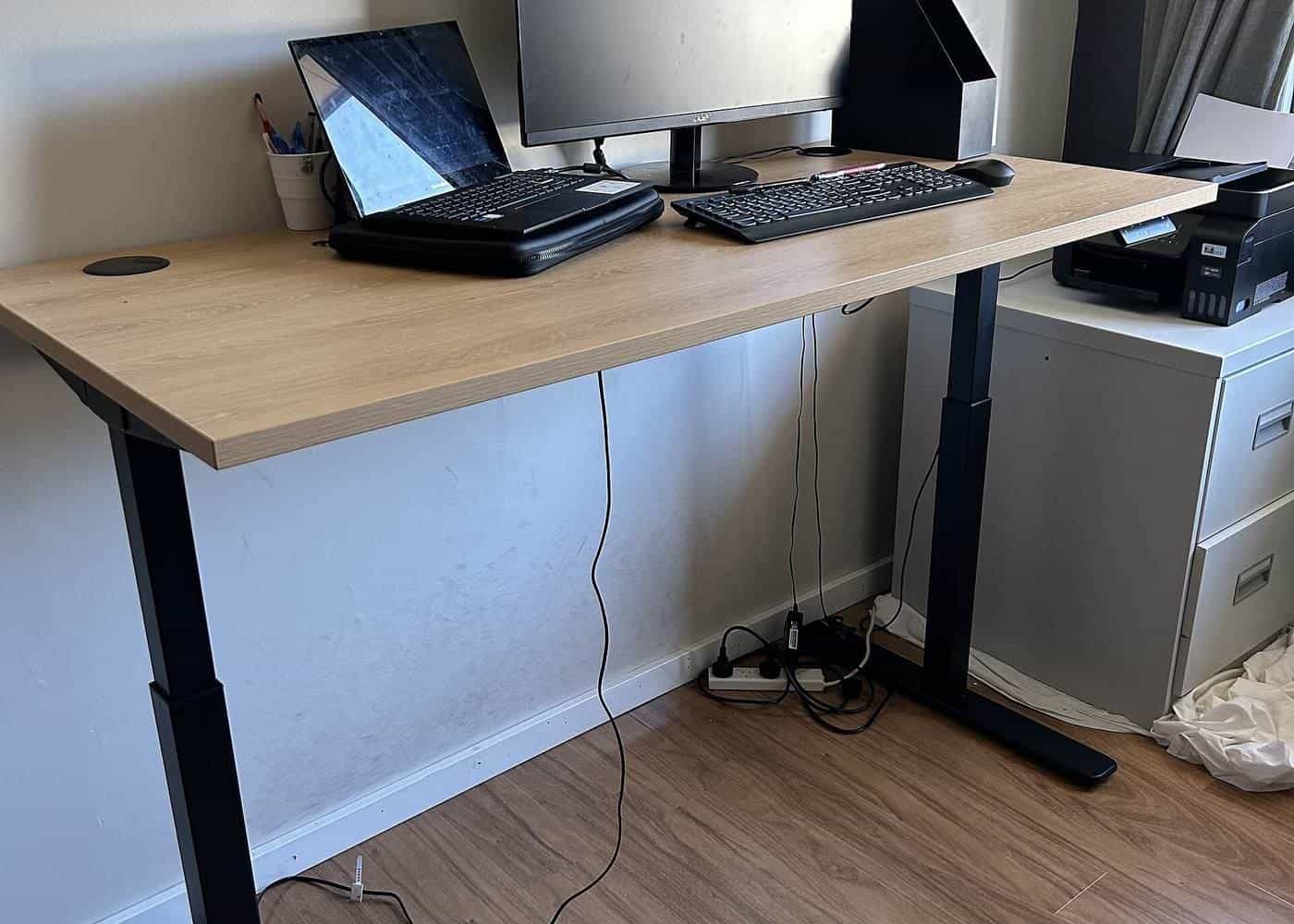
A desk that moves needs cables with enough slack. Use a cable tray or spine so power and data cables move with the desk and don't get caught or pulled from the wall. Safe Work Australia's workstation infographic includes keeping cords neat and safely stored and not overloading power boards.
Using a sit-stand desk well
WorkSafe Queensland offers practical tips:
- Use it. It says if you have a sit-stand desk, make sure you use it, because varying your posture is the key.
- Set it up the same way standing as sitting. The desktop should be level with your elbow when standing, so your forearms are supported.
- Adjust your monitor when you move from sitting to standing if needed.
- Change posture regularly. It suggests aiming to change posture every 30 minutes, and warns that standing for a long time can also cause problems.
Safe Work Australia suggests providing a footrest large enough for the whole foot, so people can stand with either foot raised, and cushioning on hard floors. Comfortable, supportive shoes help too. An anti-fatigue mat can make standing more comfortable on hard floors.
Starting out
If you're new to standing, build up gradually. Start with short periods of standing, and stop if you feel discomfort. Moving matters more than standing still: shifting your weight, walking to get a drink or taking a call on your feet all count.
Is a sit-stand desk right for you?
A sit-stand desk is worth considering if you spend long periods at a desk, share a desk with people of different heights, or are taller or shorter than average. If budget or space is tight, a well-set-up fixed desk combined with regular breaks can also work. See our guide to sitting less.
Common mistakes with sit-stand desks
Common mistakes include standing too long on day one, setting the standing height too high so shoulders hunch, forgetting to raise the monitor when standing, leaving cables too short so they pull when the desk rises, and buying a desk whose range doesn't suit your height. Another common mistake is never adjusting it at all: WorkSafe Queensland's simple advice is to use it.
Sit-stand desks for shared workplaces
In offices with hot desking or shared workstations, sit-stand desks let each person set the right height. WorkSafe Victoria notes electric adjustment is most appropriate, because the adjustment mechanism shouldn't create a manual handling risk. Simple instructions on each desk, and memory presets that people can change, help everyone use them properly.
Try the desk height checker
Our free desk height checker lets you enter your seated and standing elbow heights, and optionally a desk's lowest and highest settings. It suggests where your desk surface should sit and whether the desk's range covers your heights, using the AS/NZS 4442 ranges that WorkSafe Victoria cites. It runs entirely in your browser, and nothing you enter is sent anywhere.
Where our information comes from
Factual statements in our guides are based on official and authoritative sources, including Safe Work Australia, WorkSafe Victoria, WorkSafe Queensland, the Australian Government Department of Health, the Australian Taxation Office and the ACCC. We link to each source at the end of the page and write everything in our own words. We don't invent statistics, prices or product test results, and we don't rank or review brands.
Everyone is different
Workstation guidance describes general principles that suit most people. Your body, your tasks and your space are unique, and what feels comfortable for one person may not suit another. Use the guidance as a starting point, adjust until you're comfortable and, if you have pain or a health condition, get advice from a health professional such as a physiotherapist or occupational therapist.
Small changes add up
You don't need to replace all your furniture to work more comfortably. Raising a screen, moving a keyboard closer, adding a footrest or standing for phone calls can each make a difference. Start with the change that addresses your biggest discomfort, then review your setup again after a week.
Workplaces and employers
Employers have duties under work health and safety laws to manage risks to workers, including from workstations and from too much sitting or standing, so far as is reasonably practicable. That applies in offices and, in many cases, when people work from home. If your workstation isn't working for you, talk to your manager or health and safety representative.
Key points
- Too much sitting or standing is bad for your health; vary your posture.
- Look for a height range of about 620 to 1200 mm, as AS/NZS 4442 recommends.
- Electric adjustment is easiest and makes changing position more likely.
- Set the standing height level with your elbows and adjust your monitor.
- Aim to change posture about every 30 minutes, and build up standing gradually.
Frequently asked questions
What height range should a sit-stand desk have?
WorkSafe Victoria says AS/NZS 4442:2018 recommends a height adjustment range of 620 to 1200 mm for the main worktop of a sit-to-stand workstation. WorkSafe Queensland says the desktop should rise to at least 1200 mm to suit taller workers.
How often should I switch between sitting and standing?
WorkSafe Queensland suggests aiming to change your posture every 30 minutes, noting that standing for a long time can also cause problems.
Is standing all day better than sitting?
No. Safe Work Australia says too much sitting or standing is bad for your health, and workers shouldn't stay in one static posture for long periods.
How high should the desk be when standing?
WorkSafe Queensland says the desktop should be at the same level as your elbow when standing, so your forearms are supported.
Sources and further reading
Facts on this page were checked against these primary and official sources. Conditions change — confirm before you travel or buy.
- Setting up your workstation — WorkSafe Queensland
- Office health and safety: office layout and design — WorkSafe Victoria
- Sitting and standing — Safe Work Australia
- Recommendations for adults (18 to 64 years) — Australian Government Department of Health, Disability and Ageing