Two desks that look the same in a photo can be very different in daily use. One stays solid for years; the other wobbles, sags or chips within months. This guide explains common desk materials, what makes a desk stable and what to check before buying, including product safety and your rights as a consumer.
This guide is general information written in our own words, based on the official sources listed at the end. It isn't health, legal or tax advice. Everyone's body, work and space are different, so if you have pain or a health condition, talk to a health professional, and check tax questions with the ATO or a registered tax agent. We don't sell furniture or recommend particular brands or shops.
Desktop materials
Solid timber. Strong and attractive, and can usually be sanded and refinished. Timber moves with humidity, so choose well-seasoned timber and follow care instructions. Heavy, which helps stability.
Timber veneer. A thin layer of real timber over a board core. Looks like timber at a lower cost and weight, but deep scratches can go through the veneer.
High-pressure laminate (HPL). A tough surface bonded to a board. Resists scratches, heat and stains, and is common in commercial desks.
Melamine. A lower-cost surface finish on particleboard or MDF. Practical and easy to clean, but edges can chip and the core can swell if it gets wet.
Glass. Looks sleek, but shows fingerprints, can be cold on the forearms and can reflect light. Check it's toughened safety glass.
Bamboo. Hard-wearing and attractive. Quality varies, so check construction and finish.
Frames and legs
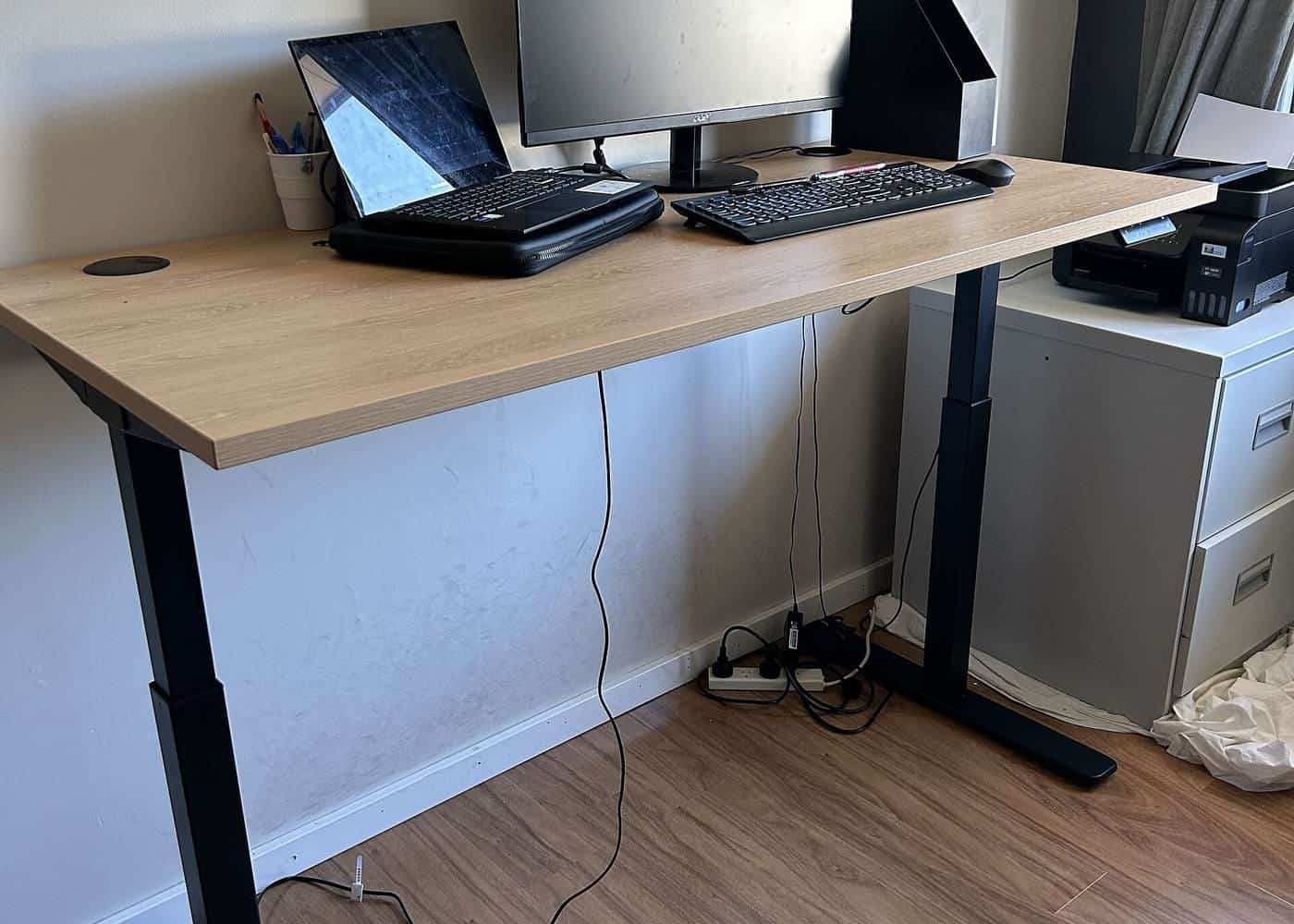
Frames are usually steel, aluminium or timber. For sit-stand desks, the frame does most of the work: look at the leg design (two or three stage), the cross-bracing, the foot size and the weight capacity. Adjustable feet help level the desk on uneven floors.
Stability
A wobbly desk is distracting and can tip monitors or drinks. When testing a desk:
- push gently on the front edge and corners;
- lean on it as you would when writing;
- for sit-stand desks, test at the full standing height you'll use;
- check that monitor arms clamp securely without damaging the top.
Edges and surfaces
WorkSafe Victoria's workstation checklist asks whether desk corners and under-desk surfaces are rounded, smooth and free of sharp edges. A rounded or softened front edge is more comfortable for your forearms. Matte surfaces reduce glare, which WorkSafe Victoria advises minimising.
Storage and toppling furniture
Desks with hutches, tall shelving units, filing cabinets and drawers can be a toppling risk, especially with children around. The ACCC's toppling furniture guide says freestanding household furniture can be dangerous if it topples, and that serious injuries and deaths have happened when furniture or TVs have fallen onto children and adults. It advises:
- planning where furniture will go and how you'll anchor it to the wall or floor;
- buying furniture that comes with anchoring equipment, or buying an anchoring kit;
- keeping heavy items low.
The ACCC says a mandatory information standard requires suppliers to provide warnings about the risk of tip-overs and the importance of anchoring for furniture covered by the standard.
Assembly
Flat-pack desks need careful assembly. Follow the instructions, use all the fixings, tighten bolts fully and check them again after a few weeks. Two people make assembly of large desks safer. Keep the instructions for future reference.
Sustainability
Consider how long a desk will last and whether it can be repaired, refinished or resold. Desks with replaceable tops or standard parts can be updated instead of thrown away. Buying second-hand can be good value, but check stability, the condition of the frame and, for electric desks, that the motor and controls work.
Your consumer rights
If a desk is faulty, unsafe or doesn't match its description, you have rights under the Australian Consumer Law. The ACCC explains that when a product has a major problem, you can choose a refund or a replacement, and for a minor problem the business must fix it for free within a reasonable time. These rights apply in addition to any manufacturer's warranty. See our guide to buying rights and safety.
Caring for your desk
Wipe surfaces with a damp cloth and mild detergent, following the manufacturer's instructions. Use coasters and mats to protect timber and veneer from heat and moisture. Avoid harsh cleaners on laminate and melamine edges. Check and tighten bolts every few months, and keep sit-stand desk legs clear of objects that could jam them.
Questions to ask the seller
Ask what the top and frame are made of, the weight capacity, the warranty on each part, whether replacement parts are available, the delivery and assembly terms, and the returns process. For sit-stand desks, ask about the height range, the number of motors and safety features such as anti-collision.
Try the desk height checker
Our free desk height checker lets you enter your seated and standing elbow heights, and optionally a desk's lowest and highest settings. It suggests where your desk surface should sit and whether the desk's range covers your heights, using the AS/NZS 4442 ranges that WorkSafe Victoria cites. It runs entirely in your browser, and nothing you enter is sent anywhere.
Where our information comes from
Factual statements in our guides are based on official and authoritative sources, including Safe Work Australia, WorkSafe Victoria, WorkSafe Queensland, the Australian Government Department of Health, the Australian Taxation Office and the ACCC. We link to each source at the end of the page and write everything in our own words. We don't invent statistics, prices or product test results, and we don't rank or review brands.
Everyone is different
Workstation guidance describes general principles that suit most people. Your body, your tasks and your space are unique, and what feels comfortable for one person may not suit another. Use the guidance as a starting point, adjust until you're comfortable and, if you have pain or a health condition, get advice from a health professional such as a physiotherapist or occupational therapist.
Small changes add up
You don't need to replace all your furniture to work more comfortably. Raising a screen, moving a keyboard closer, adding a footrest or standing for phone calls can each make a difference. Start with the change that addresses your biggest discomfort, then review your setup again after a week.
Workplaces and employers
Employers have duties under work health and safety laws to manage risks to workers, including from workstations and from too much sitting or standing, so far as is reasonably practicable. That applies in offices and, in many cases, when people work from home. If your workstation isn't working for you, talk to your manager or health and safety representative.
Corrections and feedback
We review our guides against their sources and show the date each page was last checked. If you notice something out of date or incorrect, such as a change to ATO rates or workplace guidance, please tell us through our contact page. We read every message and correct mistakes promptly.
About this site
Office Desks is an independent information site. We aren't a furniture retailer, manufacturer, ergonomist, government agency or tax adviser, and we don't sell furniture or recommend particular brands or shops. Our guides are general information, not health, legal or tax advice.
A short glossary
Sit-stand desk: a desk whose height can be raised and lowered so you can work sitting or standing. Desk converter: a platform on top of a desk that raises the screen and keyboard. Footrest: a stable, sloped platform for your feet when they don't reach the floor comfortably. Five-point base: a chair base with five castors or glides, the most stable design. Monitor arm: an adjustable bracket that holds a screen above the desk. AS/NZS 4442: the Australian and New Zealand standard for office desks, which WorkSafe Victoria cites for desk height ranges. Decline in value: the ATO term for claiming the cost of an asset over its effective life.
Key points
- Laminate is tough, solid timber can be refinished, melamine is low-cost but can chip.
- Test stability at the height you'll use, especially for sit-stand desks.
- Rounded edges and matte surfaces are more comfortable and reduce glare.
- The ACCC recommends anchoring furniture that can topple, such as hutches and drawers.
- Faulty desks are covered by the consumer guarantees under the Australian Consumer Law.
Frequently asked questions
What is the most durable desk material?
It depends on use. High-pressure laminate resists scratches and stains, solid timber can be refinished, and steel frames are strong. Check the warranty and care instructions.
How do I know if a desk is stable?
Push gently on the corners and front edge at the height you'll use it. Sit-stand desks are most likely to wobble at full height, so check stability raised.
Do I need to anchor a desk to the wall?
Most desks don't need anchoring, but the ACCC recommends anchoring freestanding furniture that can topple, such as bookshelves, drawers and hutches.
What if my new desk is faulty?
Under the Australian Consumer Law, the ACCC says you're entitled to a repair, replacement or refund if a product doesn't meet the consumer guarantees.
Sources and further reading
Facts on this page were checked against these primary and official sources. Conditions change — confirm before you travel or buy.
- Toppling furniture and televisions guide — ACCC Product Safety Australia
- Repair, replace, refund, cancel — ACCC
- Setting up a workstation and working with computers (checklist) — WorkSafe Victoria
- Office health and safety: office layout and design — WorkSafe Victoria